Tripo vs Meshy: which fits my project?
Compare the same input at a similar mesh and texture budget. Meshy 7.1 and Tripo H3.1 both support text, image and multi-view workflows here; choose the output that needs less cleanup for your project.
Did you compare Meshy and Tripo using the same image?
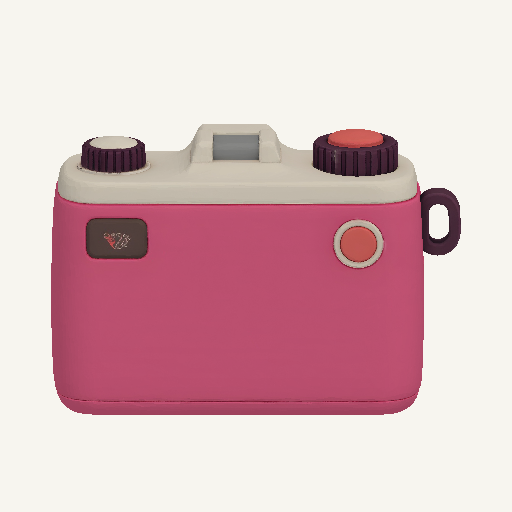
Yes. Both camera results use the same source PNG and a 30,000-face target, with standard geometry, textures enabled and PBR disabled. Meshy uses remeshing; Tripo uses its face limit. The other galleries use separate inputs.
Which versions does this Meshy vs Tripo comparison cover?
The main comparison covers Meshy 7.1 and Tripo H3.1. Tripo P2 is a separate model with a different topology workflow, so its capabilities are linked separately rather than attributed to H3.1.
Are Meshy, Tripo, and Quady3D credits equivalent?
No. Each platform has its own credit system. This page separates Quady3D generation costs from provider credits.
Can I use the results directly in games or 3D printing?
Inspect the complete file first. Games may require topology, UV, material, pivot, collision, and scale cleanup. Printing requires physical scale, thickness, closed geometry, and a slicer check. A textured preview alone does not prove production readiness.
Does this comparison measure generation speed or failure rate?
No. These are saved successful results, not a record of all attempts or processing times, so they cannot establish speed or failure-rate rankings.