Quady3D

Create a character collectible

AI 3D Figurine Generator

Start with a photo, pet portrait or character image. Inspect the generated figure from every side, then plan its size, base and supports for printing.

Model
Reference image
Try an example
Resolution
Texture size
Loading 3D preview…

Inspect a generated model and its STL

Compare the input and actual output before starting your own.

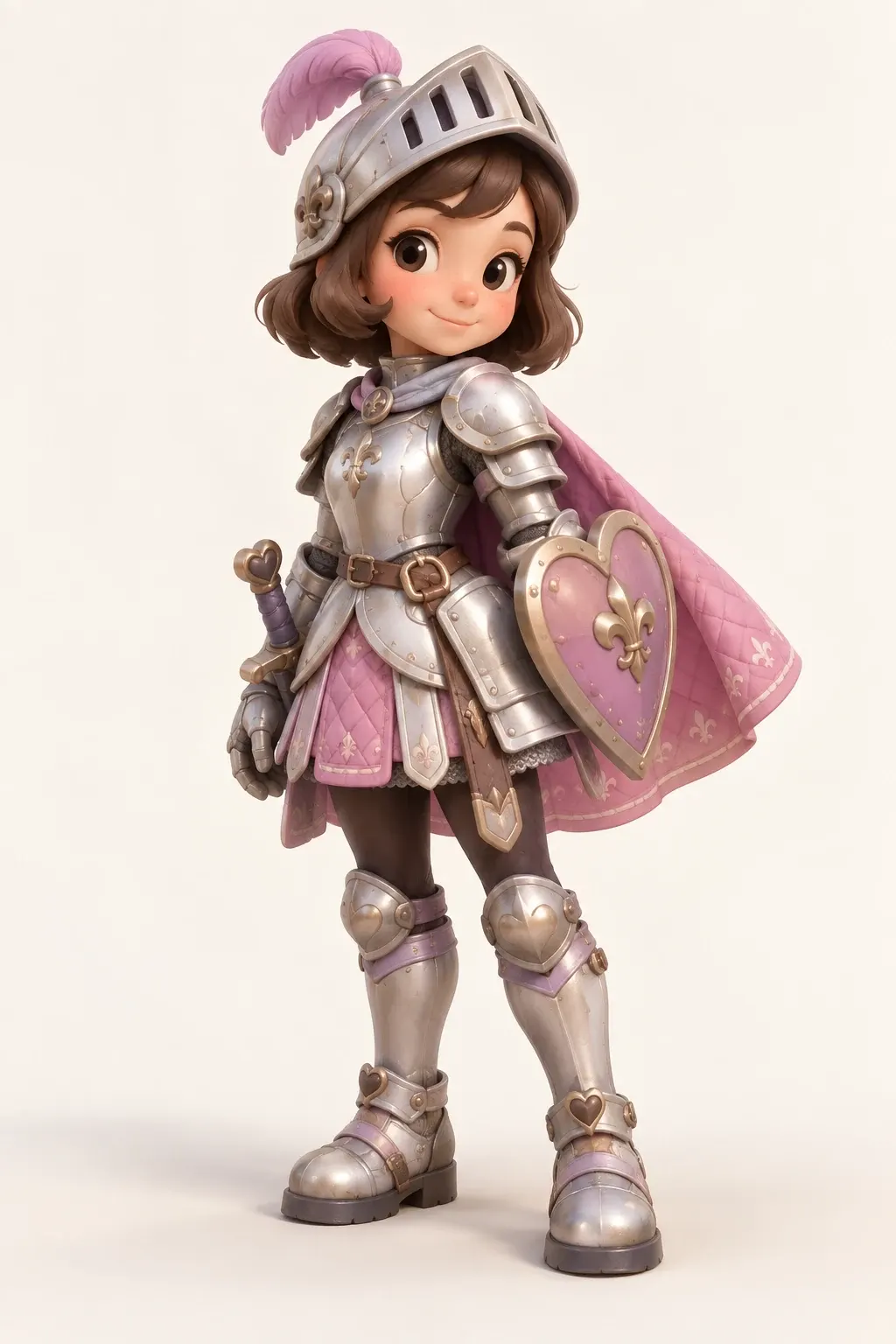
Pink knight: artwork to figurine

Tripo H3.1 · 80 mm longest dimension

Source character artwork
Original pink knight artwork used to generate this model
Prepared STL geometry

Generated from the shown artwork and prepared as STL. Inspect the shield, cape and armor edges. This artwork case does not demonstrate photographic likeness or a physical print.

28.07 × 80 × 36.72 mm (file axes) · 48,152 triangles · Geometry export; review in a slicer before printing.

Check these before printing

Face and silhouette

Compare the face, outfit, pose and inferred back with your reference.

Small features

Check fingers, cape edges, hair and accessories at the final print size.

Base and supports

Review balance and overhangs; keep support contact away from important details.

From idea to a print test

1. Prepare a readable character reference

Keep the full subject visible, with clear separation between limbs and props. For photo to 3D figurine work, use additional views when the pose or outfit hides important details.

2. Compare the generated figure

Check the face and clothing before refining the mesh. The knight below starts from artwork; it shows a real 3D result without establishing portrait likeness from a photograph.

3. Set print size and review fine details

At 80 mm, inspect the knight’s shield, cape and armor edges. Strengthen fragile features or add a stable base in your 3D editor before export.

Questions before you start

Can I turn a photo into a 3D figurine?

A clear photo can be used to generate a full 3D draft. One view leaves hidden features to be inferred, so check the face, pose and back. Multiple consistent views can provide more reference information.

Can I make a figurine of a pet?

Use a sharp reference that shows the whole pet and separates its limbs, tail and ears from the background. Check small features and contact points before preparing a print.

Is this a 2D action figure image generator?

This workflow produces a 3D mesh you can rotate and download. The recorded knight includes its generated GLB and a separately prepared STL.

Does the STL include the character’s colors?

No. STL stores geometry. Keep the textured GLB for color review and plan painting or the separate requirements of your multicolor printing workflow.

Can I order a printed figurine here?

Quady3D provides digital models and supported file conversions. Printing and delivery are handled by your own printer or a print service.