














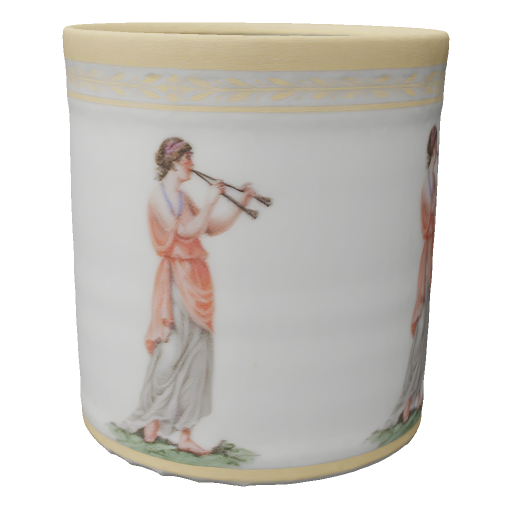
A cup generated in Quady3D
0.911 × 1.000 × 0.915 model units · 47,326 triangles
Convert this GLB in the workspace above, or download the completed OBJ package. Its base-color image is included; the cup shape and source dimensions remain the same.
Free browser tool
Turn your GLB into an OBJ model for your 3D editor. Preview the file, then download OBJ, its material file and supported embedded texture images together in a ZIP. Free, with local processing.
Open a file or try a sample to see the model here.
The static mesh, with source scene transforms applied. Vertex positions, normals and texture coordinates are written for import.
Material colors and supported texture images. Keep the files in their extracted folders so image references work.
OBJ does not retain animation, rigging or all PBR shading. The ZIP includes a conversion summary; inspect the imported appearance.
0.911 × 1.000 × 0.915 model units · 47,326 triangles
Convert this GLB in the workspace above, or download the completed OBJ package. Its base-color image is included; the cup shape and source dimensions remain the same.
Choose a GLB up to 32 MB with embedded resources, or try our textured cup. Rotate it to check that the intended model and surfaces have loaded.
Save the ZIP, then extract it. Keep model.obj, model.mtl and the textures folder together so your editor can find the material images.
Import model.obj in your editor. Compare the shape, materials, scale and orientation against the GLB. OBJ keeps a static mesh; animation, rigging and full PBR shading do not carry over.
The ZIP includes an MTL file and supported embedded base-color and normal images. Keep the extracted files together. OBJ materials cannot reproduce every GLB surface setting; metallic and roughness shading can change.
OBJ refers to a separate material file, and that file can refer to texture images. The ZIP keeps these files together. Extract it and import model.obj, leaving model.mtl and the textures folder beside it.
No. OBJ stores a static mesh. Animation, skeletons, blend shapes and the original scene structure are not preserved. Keep the GLB if you need those features.
The converter writes the mesh in its source scene coordinates without resizing it. OBJ has no reliable physical-unit label, so confirm the import unit and up axis in your editor. This page does not set print dimensions or repair geometry.
Opening and converting files is free, with no sign-up or credits. Your selected file is processed on this device. The page, libraries and optional samples still load over the network; external file dependencies are not loaded.