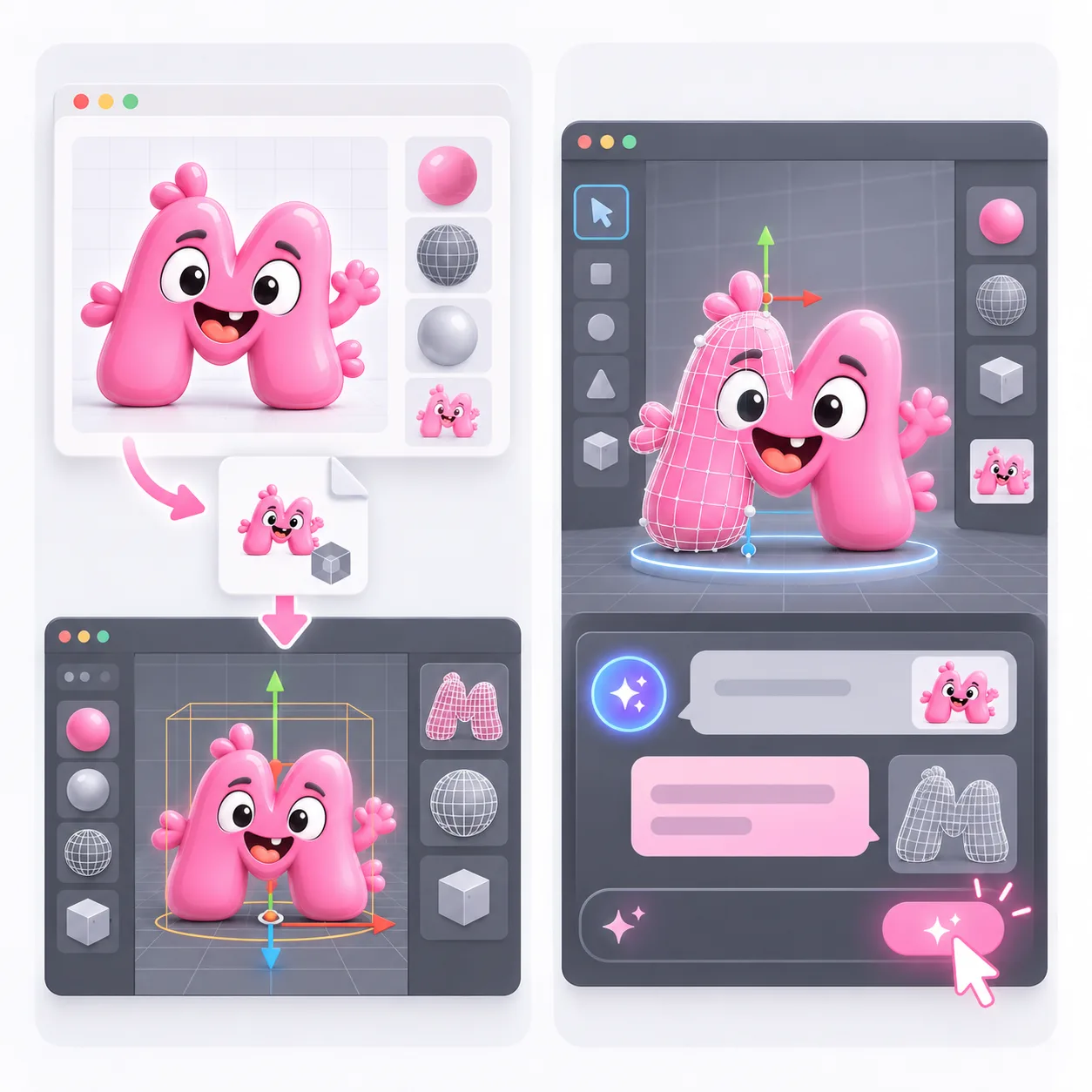
Generate a 3D draft from an image or text, inspect its real GLB, then import it into Blender for materials, scale and mesh editing.
Generation runs in Quady3D. Blender remains the editor for your scene. The optional Quady3D Bridge imports a completed GLB; it does not generate or edit geometry from prompts inside Blender.

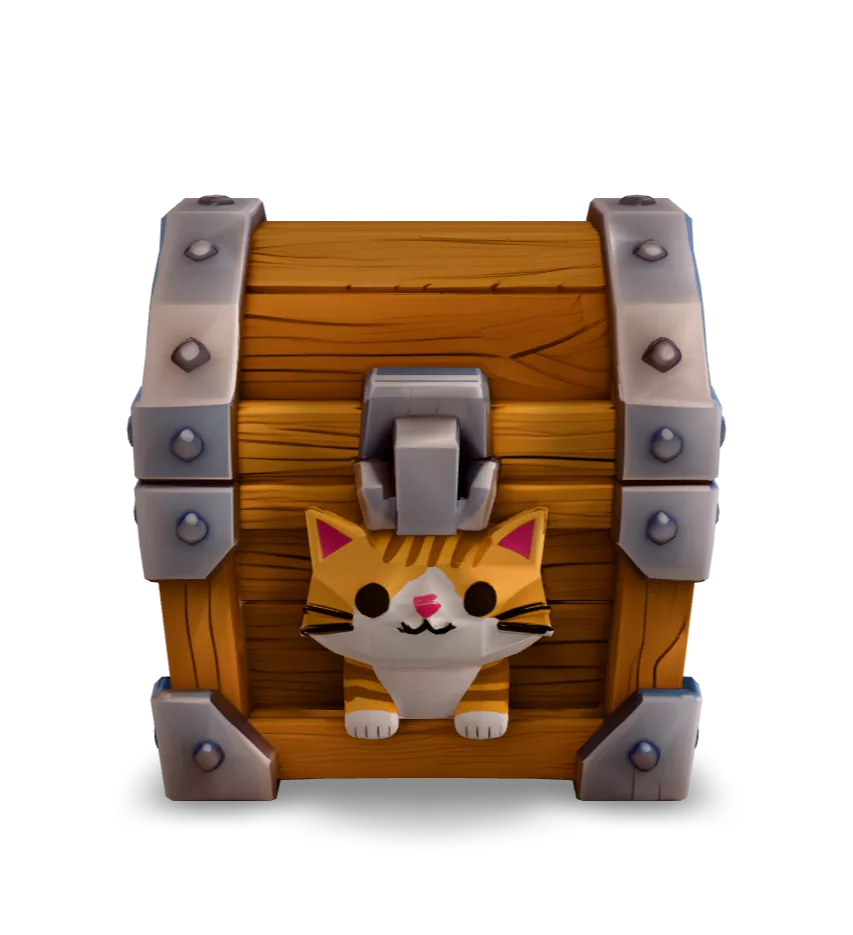
Rotate the original model, inspect its hidden sides and download the same GLB. The measurements below come from importing this file in Blender.
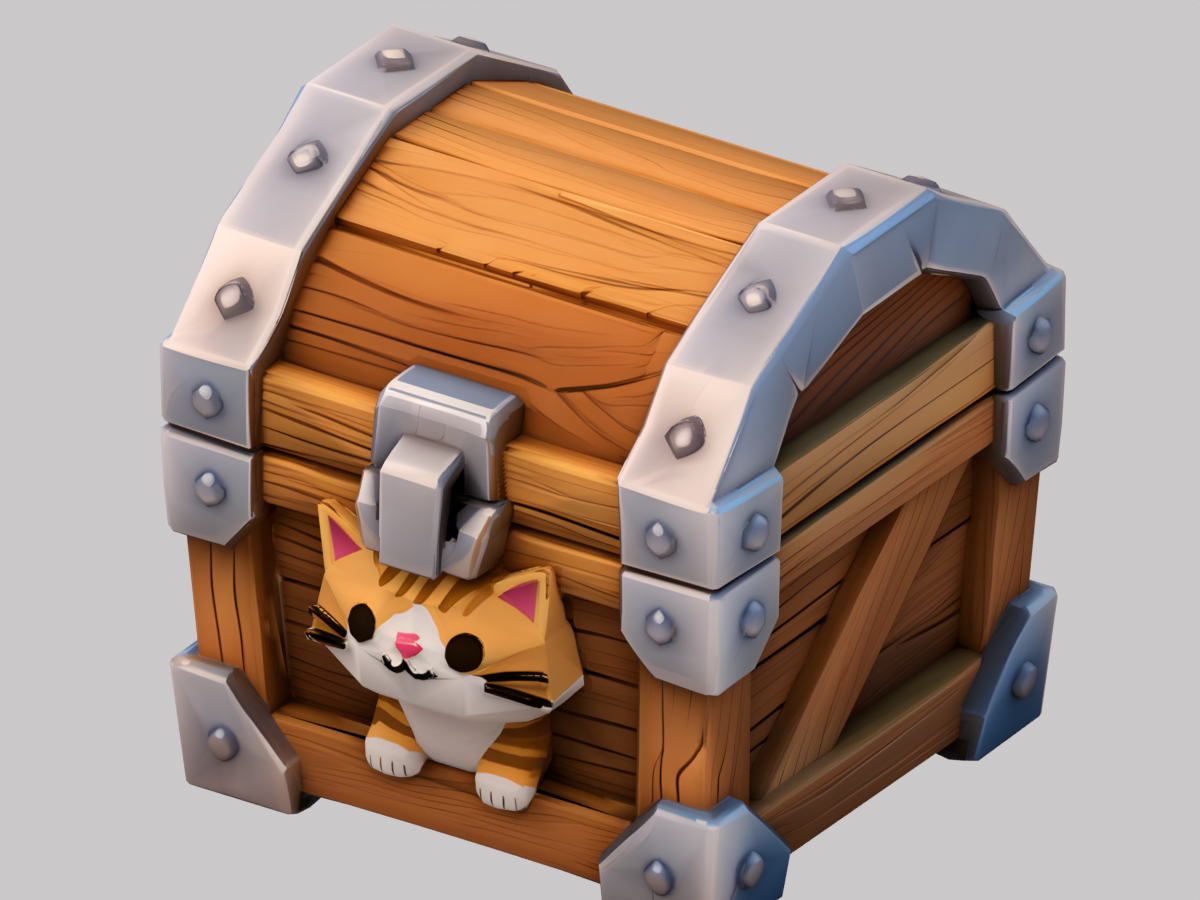
GLB · 15.8 MB · Loads when you choose to inspectThe unchanged GLB was imported in Blender 4.5.10 LTS. A working .blend file and FBX / glTF Separate exports were produced during this check.
Inspect UVs, normals and dimensions before editing. The imported dimensions have not been matched to a real object.
Download original GLB ↗
An image to 3D Blender workflow starts with one clear object reference. Use text when you want to explore a prop or silhouette. Compare the whole mesh, including hidden surfaces, before committing to editing it.
For a returned GLB, use File → Import → glTF 2.0 in Blender and select the file. For an OBJ package, extract the ZIP, keep OBJ, MTL and textures together, then use File → Import → Wavefront (.obj). OBJ delivery is a static mesh package and does not preserve rigs or animation.
The result panel's Open In → Blender option offers the Quady3D Bridge. Install the add-on in Blender 4.2 or newer, enable it, start the bridge in Scene Properties and enter its displayed code in Quady3D. Manual GLB import is available without the bridge.
Blender 3D AI workflows still need mesh review. Check edge flow, loose geometry, thin parts and the inferred back of the object. Duplicate the mesh before reduction or remeshing, and compare the silhouette at the intended viewing distance. A static case does not demonstrate a usable character rig.
Set the scale and origin for the job, then check exported materials and geometry again. Unity and Roblox have different import steps and performance requirements; a good Blender render alone does not validate either engine.
Generation runs in Quady3D. Download a completed GLB and import it manually, or use the optional Quady3D Bridge to send it to Blender. The bridge is an import add-on, not an in-editor prompt generation assistant.
Start with the original GLB when you want to keep its material package. Choose the OBJ ZIP for a static mesh workflow and keep the MTL and textures together. OBJ delivery does not preserve rigging or animation.
A single image leaves depth and hidden surfaces to inference. Inspect the back, underside, proportions and joins in the actual mesh. Set real dimensions in Blender using measurements from your project.
The cat treasure chest was imported into Blender 4.5.10 LTS. Its original file contains 5,443 triangles in one mesh, with one material and no animation. The displayed Blender render uses that imported geometry; it is not proof of Unity or Roblox compatibility.
Blender and Quady3D generation are separate. Quady3D generation uses the credit quote shown for the selected model and settings. Inspect the creator total and current credit plans before generating.