












Claude Opus 5.5 for 3D modeling: from dimensions to Blender
Start with a measurable brief, change a working reference script, and inspect the exported geometry. Follow the same organizer from 80 mm to 100 mm.
One script, two widths
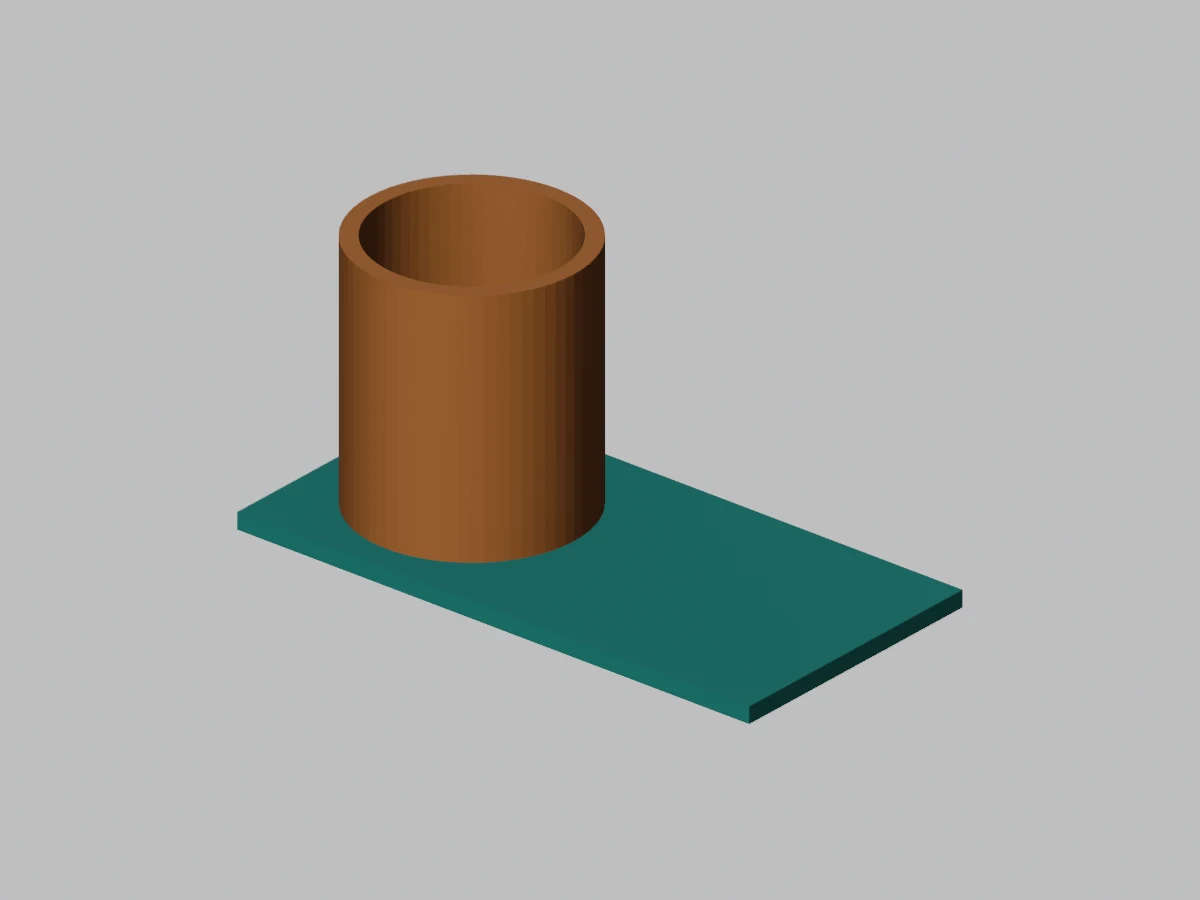
Rerun the Quady3D reference script at 100 mm width. This example was not generated by Claude.
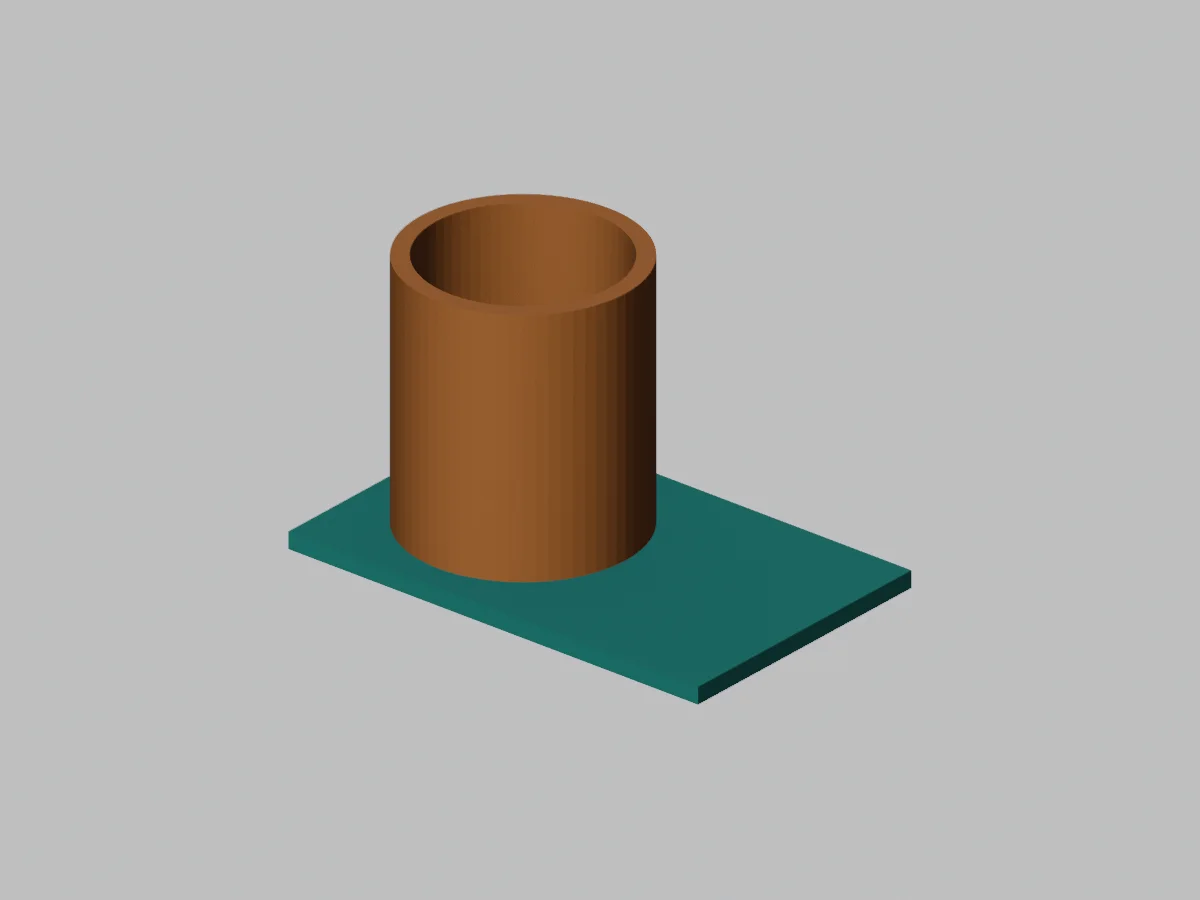
- Default dimensions
- 80 × 50 × 48 mm
- Customized dimensions
- 100 × 50 × 48 mm
- Mesh parts / triangles
- 2 / 524
- Boundary / non-manifold edges
- 0 / 0 per part
How this example was made
A measurable modeling brief
The supplied brief specifies dimensions, walls, named parts, materials and file exports. Copy it into your own Claude session when asking for a revision, or run the provided reference script directly in Blender to create the files.
An output you can reproduce
The width change updates the base and the cup’s placement through explicit parameters. Both versions export editable .blend, GLB and millimeter STL files, a render and a geometry report. The on-page preview shows the default model; custom geometry is created by running your downloaded script.
Original CC0 geometry and script by Quady3D AI, executed in Blender 4.5.10 LTS. This demonstrates a reproducible workflow; it is not attributed to a Claude generation run.
Customize your script and brief
Set your organizer dimensions
Download a script to run in Blender, or copy the brief for your own Claude session.
Choose dimensions, then download a Blender script or copy the modeling brief.
Your Blender output
Editable .blend · GLB · Millimeter STL
Preview image · Geometry report
Preview modeling brief
Create an editable Blender desk organizer in meters with final dimensions 80 × 50 × 48 mm. Make a rectangular base and one open cylindrical cup as two named, closed mesh parts. Use 3 mm walls and a closed cup floor. Keep the cup aligned on the base. Use simple teal and orange base materials. Expose all dimensions as Python constants. Save a .blend, export a Y-up GLB in meters and an STL in millimeter coordinates, and report world dimensions, triangle counts and non-manifold edges for each mesh. Render a three-quarter preview. Do not claim the model is print-ready without checking sliced layers.
Run the script in Blender to create your custom model. The viewer shows the default 80 mm example. This page does not call Claude.
Use Claude with a Blender modeling brief
Define the model
Specify dimensions, walls, named parts, materials and required exports.
Run the script
Review and run the Python in Blender, then inspect the geometry report.
Revise and export
Change parameters, rerun and keep the .blend alongside your GLB or millimeter STL.
The reference script is by Quady3D and runs directly in Blender. Copy the brief into your own Claude session for revisions. This page does not call Claude.
Rotate the default organizer
Run your Blender script
Download the script into a working folder. Run this command with Blender on your path, or use its full executable path.
blender --background --python quady3d-organizer.py -- \
  --output "./organizer"
Use quady3d-organizer.py for a customized download, or parametric-organizer.py for the default source.
Script outputs, setup and model capabilities
The scripts start a new scene. Review the Python and use a fresh output folder to preserve earlier files. Quote paths containing spaces; see Blender’s command-line reference.
The organizer script exports .blend, GLB, millimeter STL, a preview image and inspection.json. Custom geometry appears after running the script; the on-page viewer shows the default model.
Anthropic describes Opus 5.5’s coding and computer-use capabilities. This workflow asks for code or an editable scene, rather than assuming a native mesh-generation API.
Take the result further
Keep editing
Keep .blend and Python source. GLB does not restore the original modifier history. Check Blender’s glTF support.
Prepare a print
Set physical size with GLB to 3MF, inspect the output, then check walls and sliced layers. Estimate cost from slicer totals.
Claude 3D modeling questions
Can Claude Opus 5.5 do 3D modeling?
It can assist with code and tool-driven workflows. For a Blender task, give it dimensions and output requirements, then run and inspect the resulting script or scene in Blender. Anthropic documents coding and computer-use capabilities; a 3D file still requires the modeling application and exports.
Does Quady3D offer a native Claude Opus 5.5 mesh generator?
This page is a Blender tutorial and script builder. It does not call Claude or provide a native Claude mesh-generation endpoint. Copy the brief into your own Claude session, or run the provided script directly in Blender.
Was this organizer generated by Claude Opus 5.5?
The downloadable organizer is an original Quady3D AI procedural example used to demonstrate a reproducible workflow. It was executed and inspected in Blender 4.5.10 LTS. It is not presented as a Claude-generated output or a comparison benchmark.
What can I customize here?
Set width, depth, height and wall thickness within the displayed ranges. Download a Python script with those constants, then run it in Blender to generate your own .blend, GLB, millimeter STL, render and inspection report. The on-page model shows the default dimensions.
More questions (2)
Why ask Claude for a Python script and a .blend?
The script makes dimensions and construction repeatable. The .blend keeps the scene editable in Blender. GLB is useful for exchange and web preview, while STL is a geometry-only printing handoff. Ask for all required deliverables rather than only a rendered image.
Is the example ready to print?
The default file has two closed meshes, and the Blender report found no boundary or non-manifold edges for either part. That does not certify a physical print. The base and cup are separate touching solids; inspect layer continuity, material assignment, supports and printer tolerances in your slicer.