












GLB to 3MF converter
Convert GLB to a millimeter 3MF with existing parts and base colors. Preview the result and set your print size.
Open a GLB, or try the two-color sample.
Your download: one millimeter 3MF model with named material parts and base display colors, grouped to preserve alignment. Textures, gradients, animation and printer settings are omitted. Color groups are not automatically watertight solids or AMS assignments. Check the sliced layers and assign your filaments in the slicer.
Open your GLB model to check the geometry and size of the package.
This is the converted 3MF geometry and base-color preview. Texture appearance and lighting effects are omitted. Rotate and zoom to check the printable arrangement.
GLB to 3MF: the same parts and colors
The downloaded 3MF retains the organizer’s dimensions, two parts and base colors.
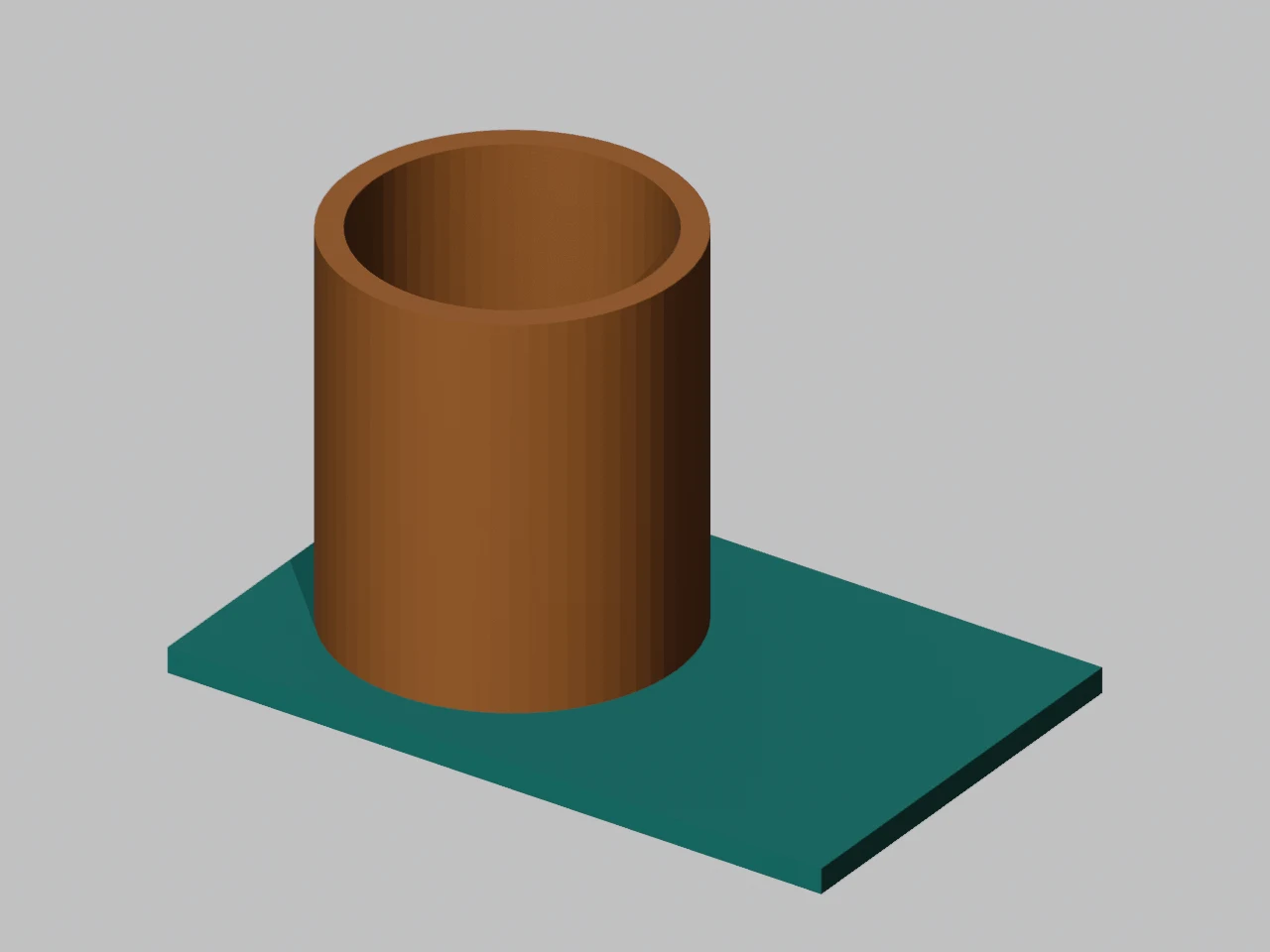
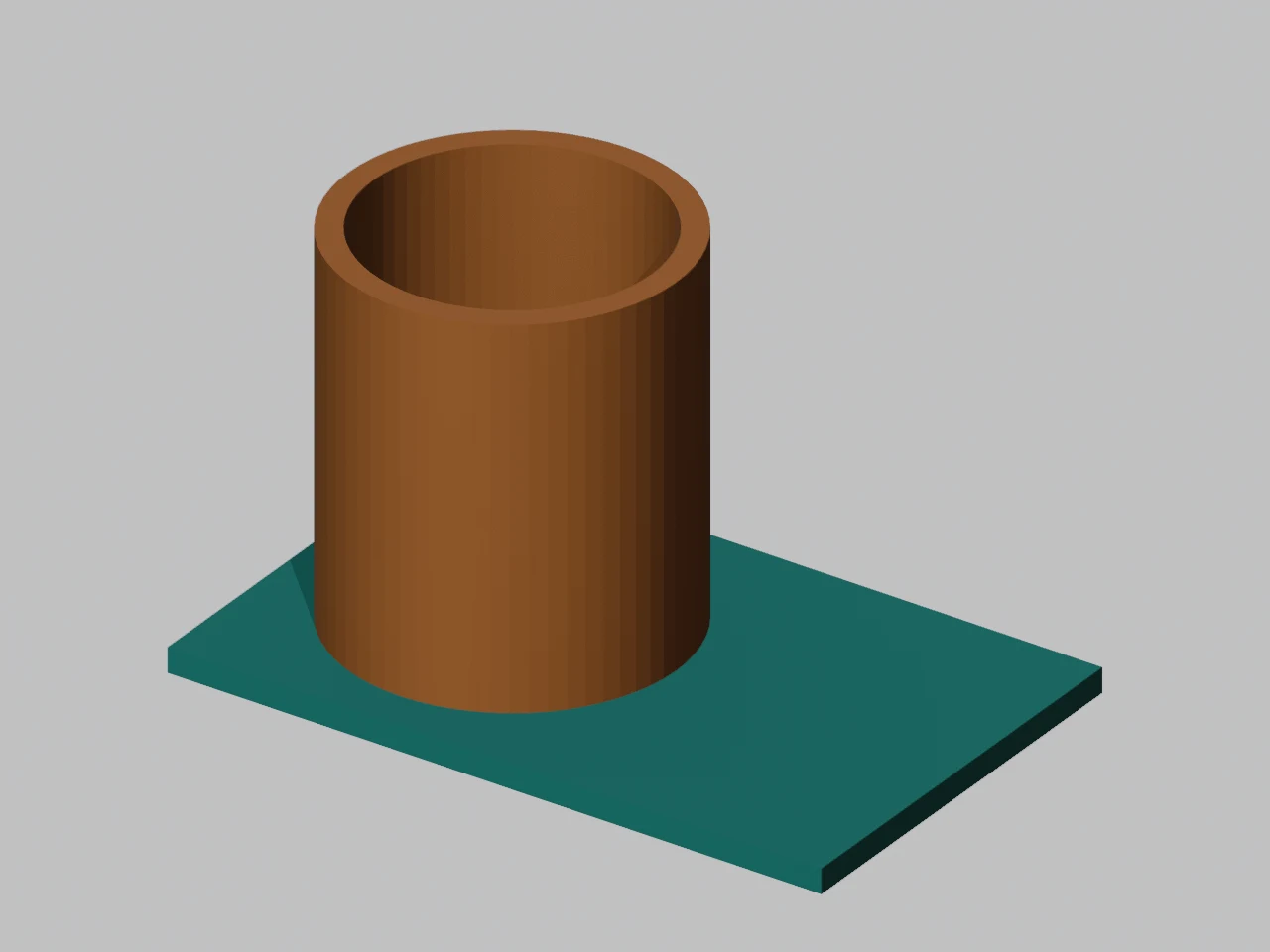
- Print dimensions
- 80 × 50 × 48 mm
- Existing parts
- Base + cup
- Triangles retained
- 524
- Base-color coverage
- 524 / 524 triangles
How this example was made
What was preserved
The meter-based GLB becomes a millimeter 3MF, with Y-up rotated into Z-up. The cup keeps its alignment with the base. The output has two named mesh parts and the teal and orange base display colors.
Try this same case
Choose “Try the desk organizer” in the converter above. Confirm the 80 × 50 × 48 mm dimensions, inspect the preview and download. These material groups are separate meshes; assign filaments and check the sliced layers in your slicer.
Original parametric geometry by Quady3D AI, CC0. The result image comes from the actual 3MF download; images show digital models, not a physical print.
Base colors survive. A texture image does not.
A second organizer uses an image texture on the cup. Here is the file before and after conversion.
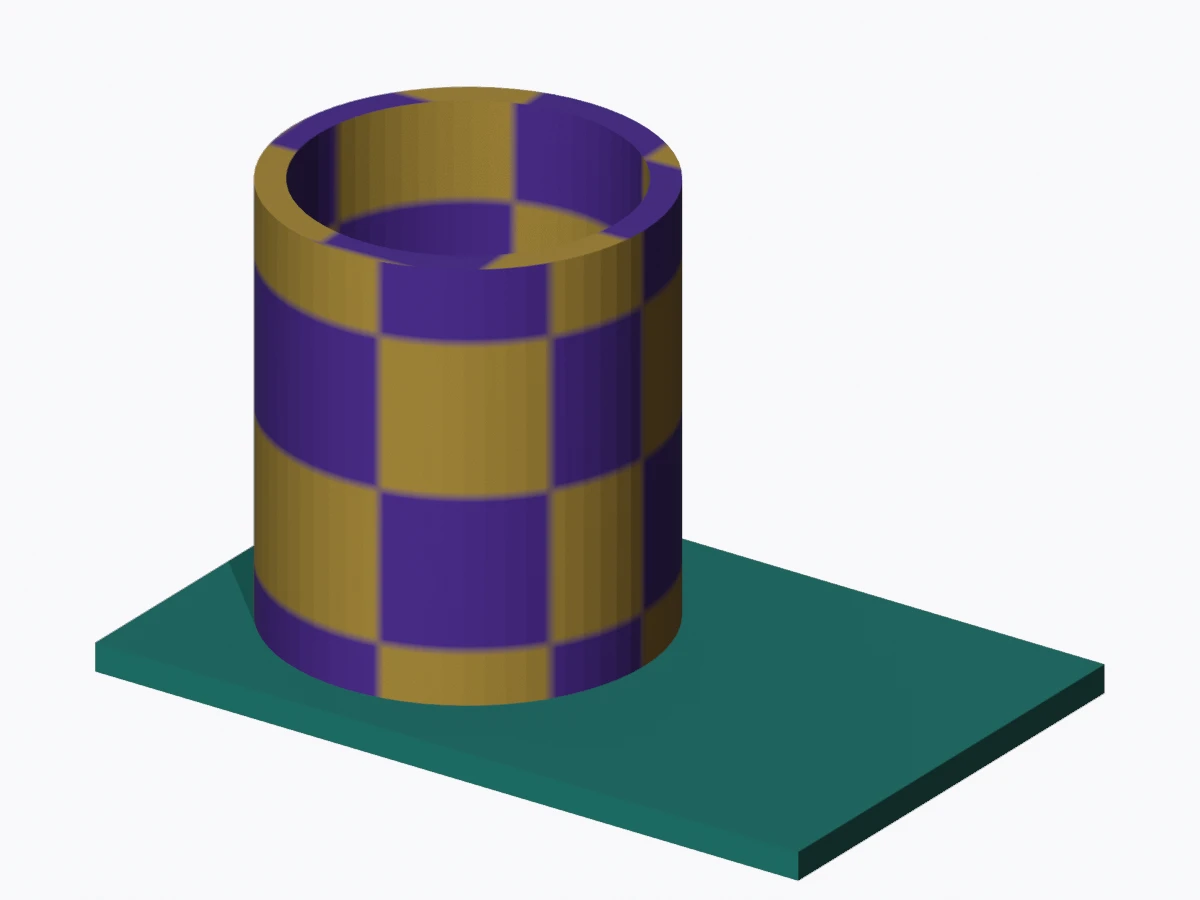
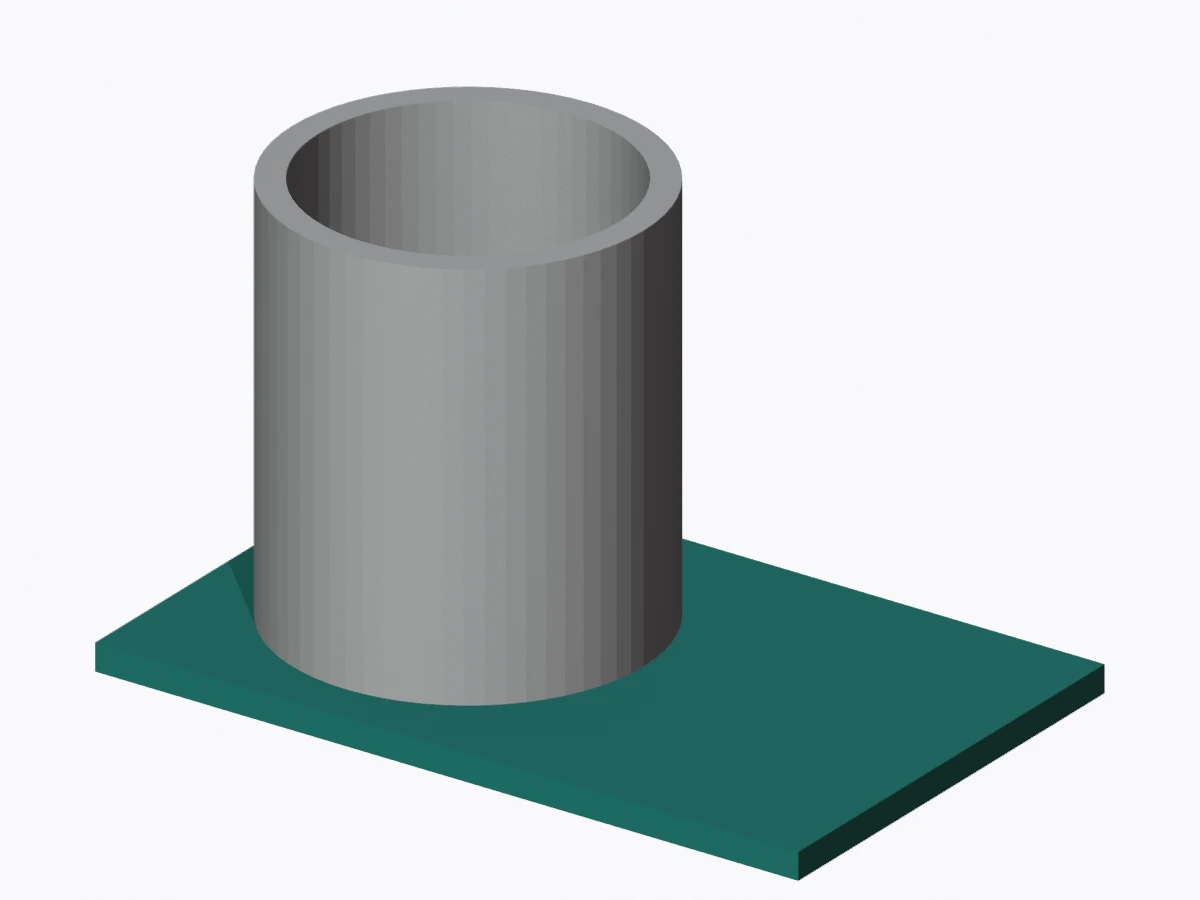
A texture does not become solid color regions or AMS assignments. Assign printable filaments in your slicer.
How to convert GLB to 3MF online
Open a GLB
Choose a static, self-contained GLB up to 100 MB.
Check size and parts
Review millimeter dimensions, base colors and the converted preview.
Download 3MF
Open the model in your slicer and assign filaments and print settings.
GLB to 3MF with colors: what survives?
| GLB content | 3MF download |
|---|---|
| Static meshes and placement | Named parts in one assembly |
| Material base colors | Standard 3MF display colors |
| Meters / Y-up | Millimeters / Z-up |
| Textures, gradients, transparency | Omitted |
| Animation, skins and morphs | Bake a static mesh first |
Assign filaments in your slicer; display colors do not guarantee AMS mapping. Conversion does not repair geometry or create solid color regions from textures.
Print size, Bambu Studio and file compatibility
Check physical size
GLB meters become millimeters: 1 unit becomes 1,000 mm. An optional longest side scales every part and offset uniformly. Y-up rotates into Z-up; choose the final printing orientation in your slicer.
Import into Bambu Studio
Import the geometry, confirm dimensions, assign filaments and inspect sliced layers. Material groups may be open surfaces. The download contains no printer profile, process preset or G-code.
Need geometry only? Use GLB to STL. For editable source, see the Astra Blender guide or parameterized Blender example. After slicing, use the print cost calculator.
GLB to 3MF questions
How do I convert GLB to 3MF?
Open a self-contained GLB, inspect its base-color parts and millimeter dimensions, and download the model 3MF. You can set the longest side to resize the entire arrangement uniformly. Conversion runs on this device without an account or credits.
Does GLB to 3MF preserve colors?
This converter stores each existing material’s base color as standard 3MF display information. Texture images, vertex-color gradients, transparency and metallic effects are omitted. The preview shows the output base colors. It does not create new colored solids from a texture image.
Will the download work with Bambu Studio and AMS?
It is a standard model 3MF with named material parts, millimeter units and base display colors. Import the geometry and assign filaments in Bambu Studio. Automatic color-to-AMS assignment is not guaranteed. Check the sliced layers; material groups are not automatically separate watertight solids.
How are GLB units and orientation converted?
Standard glTF meters become millimeters: 1 meter becomes 1,000 mm. Y-up rotates into Z-up with relative part placement preserved. If the original asset was exported at an artistic scale, set a target longest side and check the updated dimensions.
More questions (4)
Can I resize the model before downloading?
Yes. Enter a longest side in millimeters and update the preview. All parts and their offsets scale uniformly. The 40 × 40 × 24 mm sample becomes 80 × 80 × 48 mm with an 80 mm longest side.
Does this keep multiple objects and materials?
Each mesh and existing material group becomes a named mesh part inside one assembly. World transforms and mirrored placement are applied to the exported triangles. Parts are not fused, centered separately or moved individually onto the bed.
Are animation and compressed GLB files supported?
Animation is omitted and the default static transforms are used. Bake skins, morph shapes and GPU instances into static triangle meshes first. Export without Draco, Meshopt or mesh quantization. Choose an embedded GLB up to 100 MB and one million placed triangles.
Does conversion make a model printable?
Conversion preserves the surface; it does not repair holes, add wall thickness, close material boundaries or generate supports. Inspect the mesh and sliced layers before printing. Printer, filament and process settings are chosen in your slicer.