Explore real prompts and their generated 3D models, then learn how to describe your own object. Edit a recorded prompt or adapt an idea to your project.
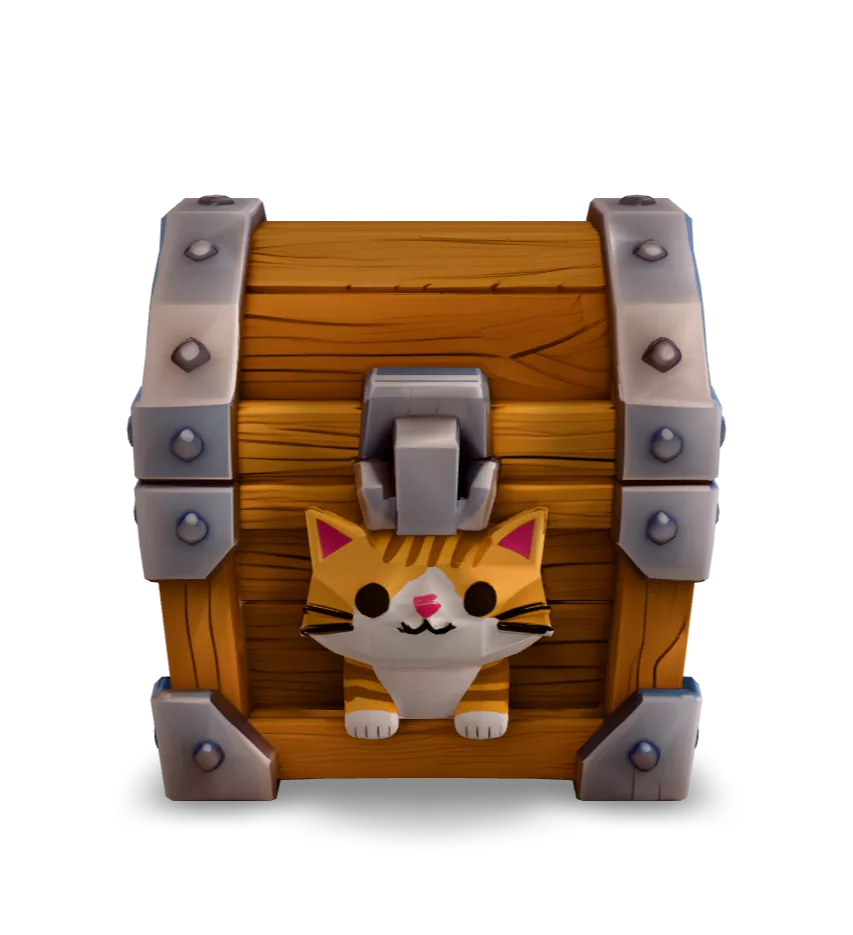
A cat-themed treasure chest generated in Quady3D with Hunyuan3D 3.0.
GLB · 15.8 MB · Loads when you choose to inspect
Hunyuan3D 3.0 · LowPoly
See the shape behind the texture
Load the model, rotate the chest, and switch to Wireframe to see its triangle surfaces. The broad panels keep the shape readable; much of the small surface detail comes from the texture.
Triangles
5,443
Vertices
4,719
Materials
1
Texture
4096 × 4096
The original GLB is 15.8 MB despite its modest triangle count. Texture resolution matters too. This static model was opened in Blender; game-engine performance still needs testing.
See the original prompt
cute catA compact low-poly fantasy supply crate, broad planar wooden panels, beveled metal corner brackets, chunky proportions, clean silhouette, centered single object, no floating parts, game-ready style
Long enough to identify one object, its form, material, style, and key constraints without turning into a scene description.
Can prompts guarantee exact geometry?
No. Use the prompt to guide a draft, then inspect and refine the exported model.
What happens when I choose a prompt?
The prompt opens in the full Text-to-3D workspace for editing. The recorded cases also select their model. You choose the settings and press Generate; opening a prompt does not start a paid run.
What does 3D prompt engineering mean?
It means refining your description to guide the model. If the shape is wrong, revise the subject and proportions before adding surface detail. Check the actual mesh after generating.