Generate a 3D asset draft from text or an image, then choose a GLB, OBJ or Blender-to-FBX import path for your Unity project.
Quady3D creates downloadable model drafts. It does not install a Unity plugin, create a finished prefab or automatically publish into your Unity project.

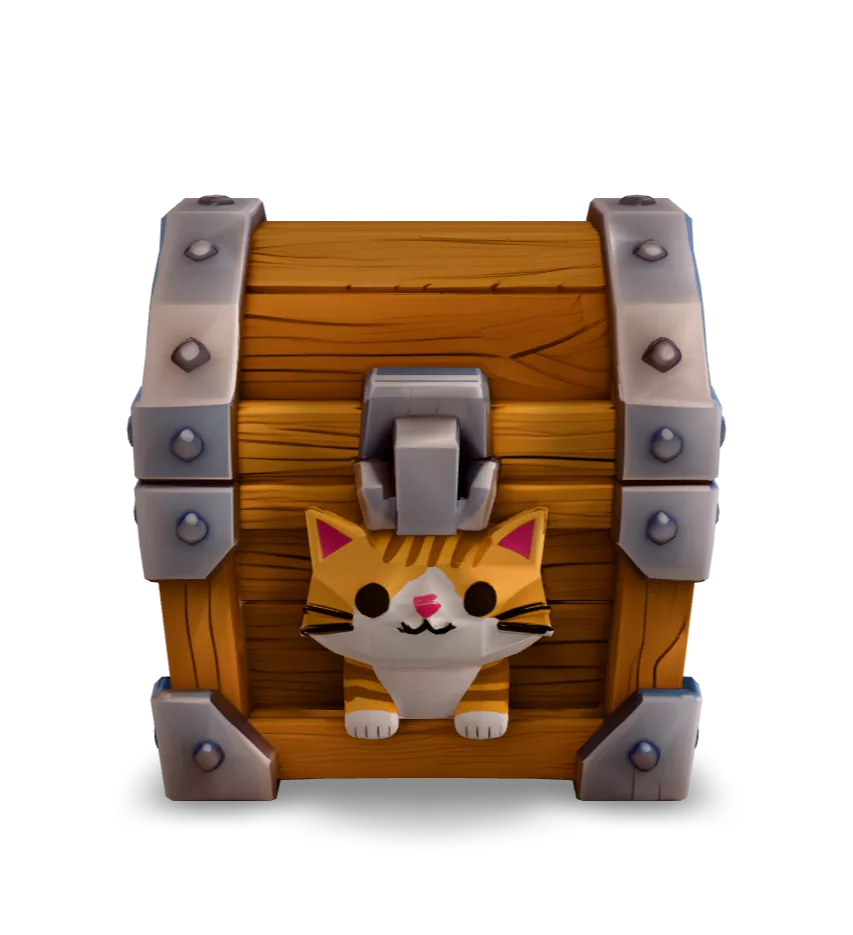
Rotate the original model, inspect its hidden sides and download the same GLB. The measurements below come from importing this file in Blender.
GLB · 15.8 MB · Loads when you choose to inspectThe unchanged GLB was imported in Blender 4.5.10 LTS. A working .blend file and FBX / glTF Separate exports were produced during this check.
This is a source asset example. It has not been imported or performance-tested inside Unity. Follow the checklist below in your own project.
Review the 4K texture, file size, colliders and frame time for your target device.
Download original GLB ↗A Unity AI asset generator is useful for exploring a prop or environment piece. Describe one object, its silhouette and material style, or start from concept art. Record the triangle, texture and viewing-distance budget for your target device.
For GLB, add Unity's glTFast package, com.unity.cloud.gltfast, through Package Manager and follow its Editor import instructions. For an FBX workflow, import the original GLB into Blender, then export FBX and keep the textures with it. Quady3D's current download options do not provide native FBX export.
Place the model beside an object with known dimensions. Check the origin, forward direction and normals, then choose materials for your project's render pipeline. Verify base color, normal maps and metallic or roughness conventions rather than assuming the browser preview matches Unity lighting.
Build the collider, hierarchy and gameplay components your prop needs, then save a prefab. Test LOD transitions, material count, texture memory and frame time in a representative scene. The cat chest case is a static source asset; it has not been profiled inside Unity.
Generation settings change the credit total and the work needed after export. Compare one complete result with your project requirements before producing a set of props. For delivery into Roblox, use its separate Studio preparation guide.
Use a compatible glTF importer such as Unity glTFast and follow its Editor import setup. Alternatively, open the GLB in Blender and export FBX. Check the importer, Unity version and render pipeline used by your project.
The current download options provide the original returned GLB and supported conversions such as an OBJ package. For this FBX workflow, export from Blender after importing and checking the original file.
Quady3D generates a model draft. You create the Unity hierarchy, colliders, components, prefab and LOD setup, then test them in your project.
The real GLB was inspected and imported in Blender. No Unity scene or Profiler test is presented for it. Use the import checklist to validate the file with your own Unity version, materials and target hardware.
The shown cat chest has no skeleton or animation. Animated characters require a supported rigging and motion workflow, followed by checks of the downloaded rig and clips in Unity.