














Pink knight: image to OBJ
Tripo H3.1 · 48,152 triangles
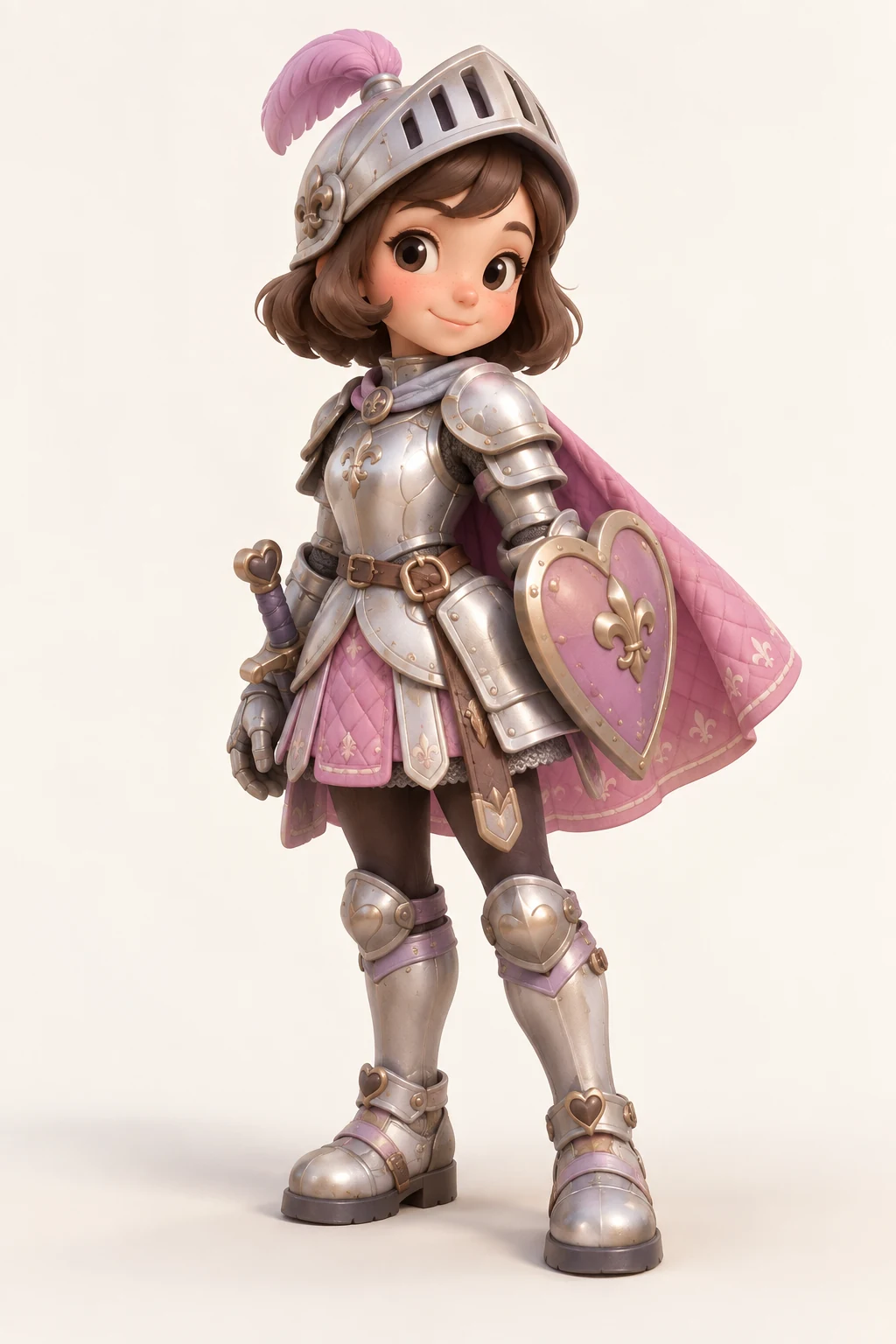
This model was generated from the shown image and exported to an OBJ package: the same mesh, an MTL file and one base-color image. Metallic and roughness appearance may differ after import.
Turn a photo or illustration into a complete 3D mesh, then prepare an OBJ package for editing. Preview the shape and keep its material and texture files together when you import it.
Inspect a Quady3D-generated character and download its actual files. The preview uses the original GLB; the OBJ package contains the same static geometry.
Tripo H3.1 · 48,152 triangles
This model was generated from the shown image and exported to an OBJ package: the same mesh, an MTL file and one base-color image. Metallic and roughness appearance may differ after import.
Preview a vehicle or building, then download its OBJ package. Each GLB preview shows the geometry exported in the download.
95,240 triangles · 2 textures
Vintage Volkswagen bus in pink and white.
4,598 triangles · 2 textures
Whimsical, multi-level house with uneven architecture.
Upload a PNG, JPG or WebP showing the whole object. Choose a model and review the credit cost shown beside Generate.
Rotate the model to check its back, underside and thin details. AI estimates hidden surfaces, so a good front view is only the start.
Open the result's Download menu, choose Other Formats, then OBJ. Download the package, unzip it and import model.obj with its material and texture files.
An OBJ package is more than a single mesh file.
Vertices, faces, UV coordinates and normals describe the static mesh. The OBJ also names the material library.
The MTL supplies basic material values and image paths. Moving or renaming its files can break the model's appearance.
Recoverable base-color and normal images are included when the GLB has them. Texture-free models do not gain textures through conversion.
OBJ omits animation, rigs and blend shapes. Keep the original GLB when you need those features or its full PBR materials.
Leave hands, feet, handles and edges inside the frame. A clear silhouette is more useful than a tightly cropped close-up.
A simple background and even light help separate shape from shadows. Heavy reflections and transparent parts are harder to reconstruct.
One image cannot specify every surface. If you have several views of the same object, use multiple images to 3D.
Follow the image to 3D tutorial for a complete reference-to-model example.
Unzip the entire package and preserve its folders. If the mesh looks gray, check the MTL's image paths and relink the textures.
OBJ does not define a physical unit. Confirm the intended size and upright direction in your destination app.
Inspect normals, thin surfaces and dense triangle areas. OBJ conversion does not repair geometry or turn it into a rigged, game-ready asset.
Continue with the Blender import and editing guide. For printing, prepare a geometry-only file with OBJ to STL and review it in a slicer.
Skip AI generation. Convert GLB to OBJ to continue editing an existing mesh.
Use image to STL for a raised picture or logo. Brightness-to-height relief is a different result from a complete AI object.
Keep GLB for compact model sharing and PBR appearance. Image to 3D covers the broader generation workflow.
Upload an image, choose a model and generate the 3D result. In its Download menu, choose Other Formats, then OBJ to prepare the package from a supported GLB result. Unzip it before importing model.obj into your 3D app.
Yes. This image to OBJ converter accepts PNG, JPG and WebP references. Use one clear, complete subject. AI estimates the unseen sides; changing an image's file extension alone does not create 3D geometry.
The OBJ package includes model.obj, model.mtl and recoverable base-color and normal images when present in the source GLB. A texture-free source stays texture-free. Keep the folder structure intact; OBJ materials do not preserve every PBR property of the original GLB.
Unzip the whole package and keep model.mtl and the textures folder beside model.obj. Import it with material and image loading enabled. If images are still missing, check their paths in the material and relink them in Blender.
AI generation uses credits based on the selected model and settings; the workspace shows the cost before you generate. Preparing an OBJ package from an available GLB runs locally without another AI generation. The example package on this page is free to download.
No. This export is a static mesh with UVs, normals and basic material references where available. Animation, rigs, blend shapes and scene metadata are omitted, and metallic or roughness properties may change. Keep the original GLB for those workflows.
Compare plans and generation costs before starting an AI task.